 After Integration set up:
Generate a Posting Type:
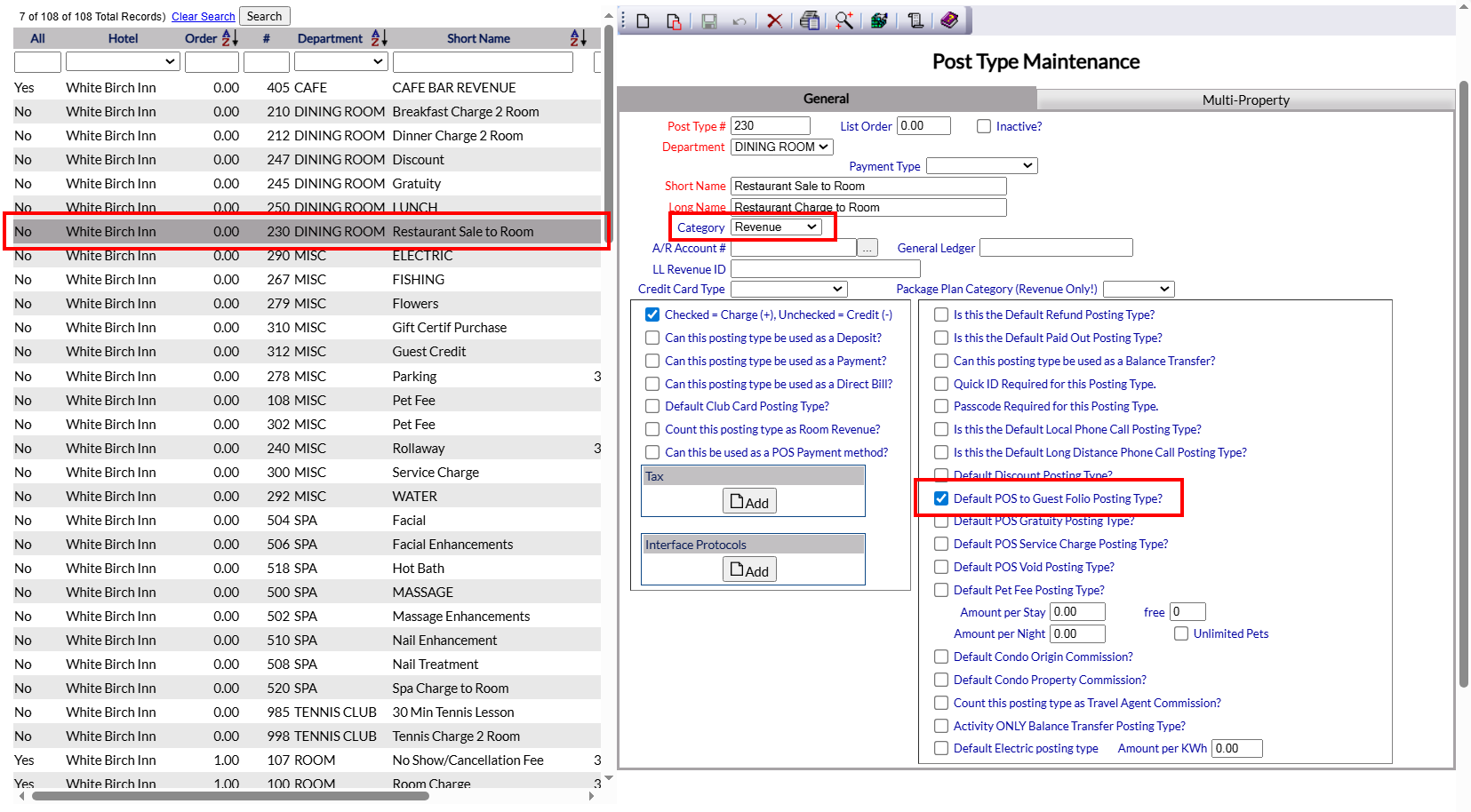
For successful POS interface integration, you will need to ensure that you have a Posting Type associated with it. This posting type may be called anything you wish, however It is suggested that the name reflect what it is, for example "Restaurant Sale to Room". On the Posting Types maintenance screen, the posting type MUST be set up with the "Default POS to Guest Folio Posting Type" check box selected. This indicates to Skyware that any charges with this posting type are associated with the external POS, ensuring that they will post to the correct guest folio and will then be shown on the guest statement on the Postings Screen and Statement. (The Category selected should also be Revenue, although this is not a requirement for Skyware to recognize the charge, more for where the charge is reported to).
Note: If your Property has multiple different outlets that you wish to set up separate posting types for (such as a restaurant, bar and gift shop), this IS possible using the Interface Protocol section on the Posting Type Maintenance screen; however please speak with Skyware to ensure this is done correctly. Once implemented, this will ensure that the multiple posting types associated with the external POS are distributed correctly by Skyware.
Viewing external POS Interface Activity:
On the Interface Activity screen:
Any activity in Skyware by an external interface can be viewed on the Interface Activity screen. This screen allows you to view a log of interface activity, and may be reached using the Interface Activity command found in the Managers Maintenance section of the Managers Commands Menu.
Note: This activity is not limited to the external POS, it may also include for example Credit Card or OTA (Online Travel Agent) activity. You will need to search specifically for your external POS to view only the relevant activity.
On the Posting Screen and Statement for an individual guest folio:
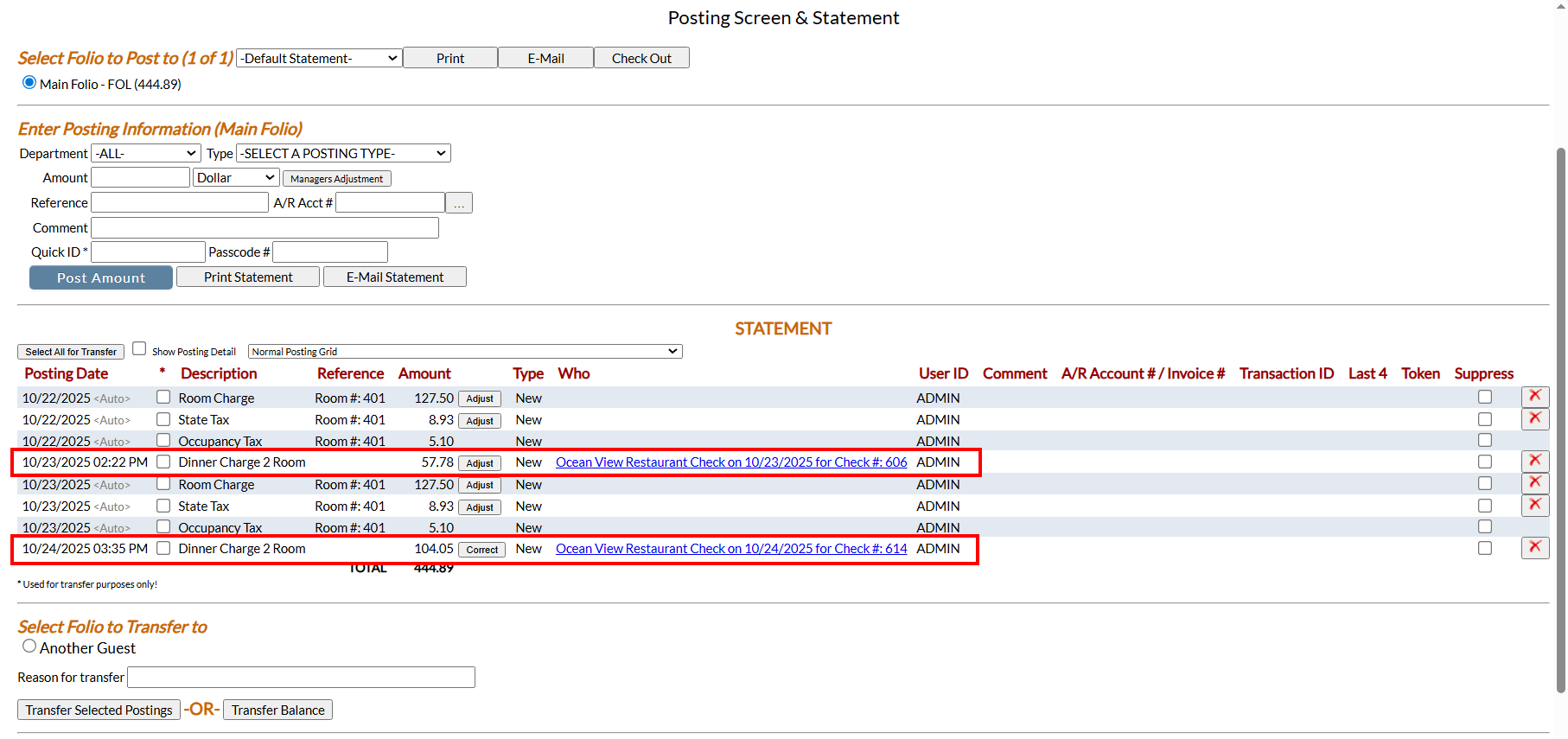
Any activity by an external POS will be visible in the guest statement on the Posting Screen and Statement, with the name of the associated posting type (in this example, "Dinner Charge to Room") shown in the Description column.
Note: With the Toast POS interface, any gratuities will post SEPARATELY to the main charge. With the Heartland POS, the post COMBINES both charge and gratuity.